
TrackMATH
The more info you give it,
the more interesting it gets.
Track gearing calculations, built around the kit you own.
START WITH
YOUR GEARING
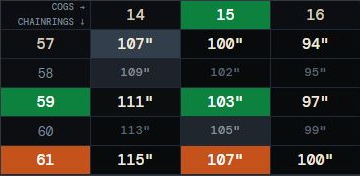
"Seems like a gear-inch table, but more?"
Exactly. This one knows what you've got.
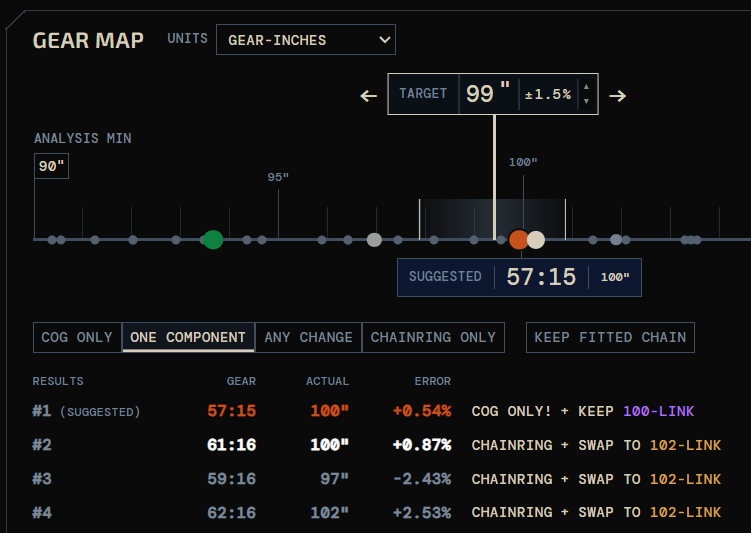
Mark your chainrings, cogs and fitted gear in the Matrix. The Gear Map shows where those combinations sit, gaps and all.
Move the target to see which combinations get you there and what you'd need to change. No bike measurements needed to start.
ADD YOUR
ACTUAL BIKE
IT FITS.
OR IT DOESN’T.
"So now it knows my actual bike?"
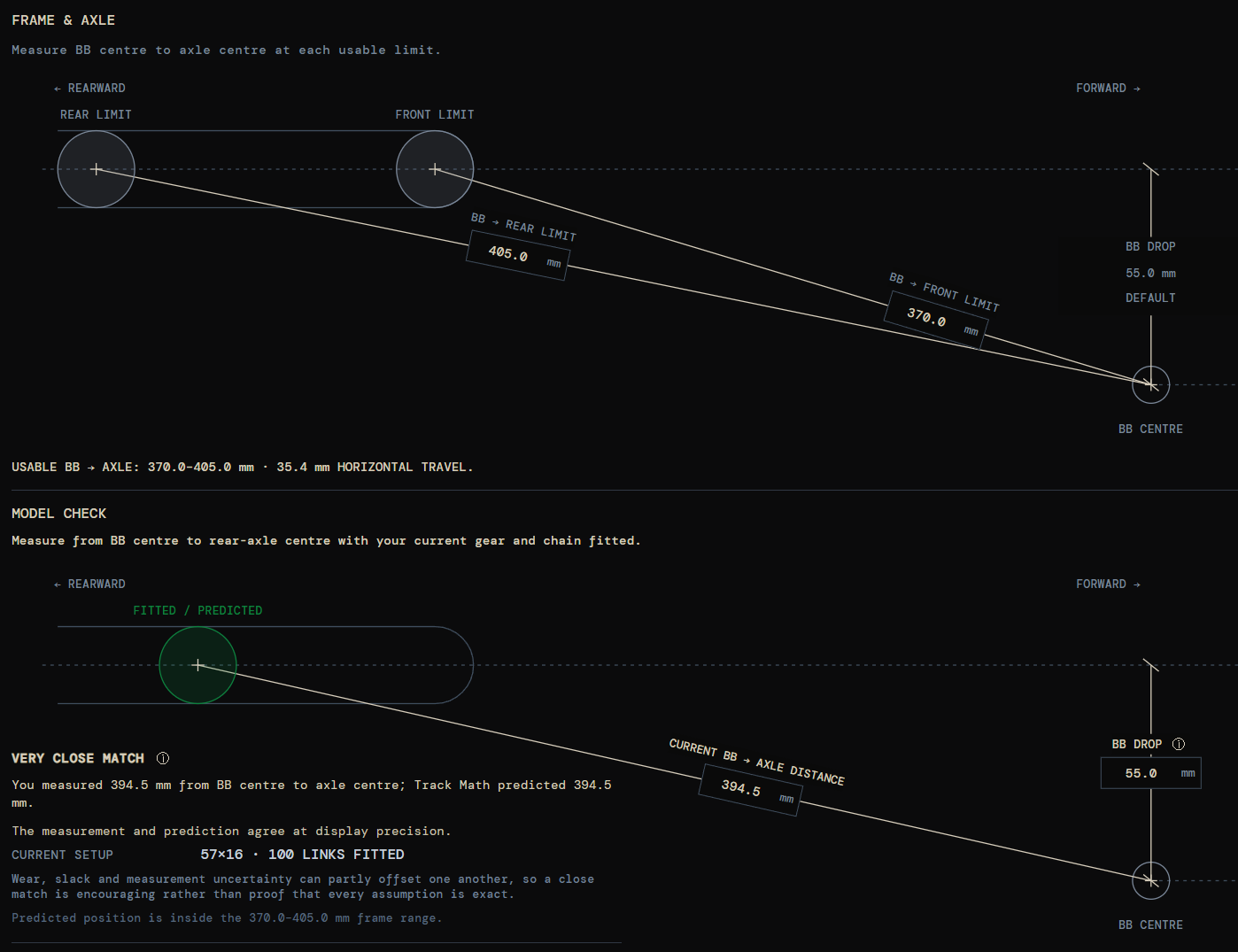
Yes. Add your chain lengths and a couple of bike measurements. See which gearing combinations fit, where the axle lands, and how much room you've got to move.
A few minutes with a tape measure once, instead of finding out between efforts that the gear you wanted won't fit.
RETHINK YOUR
CHAIN LENGTHS
"Wait, more chains??"
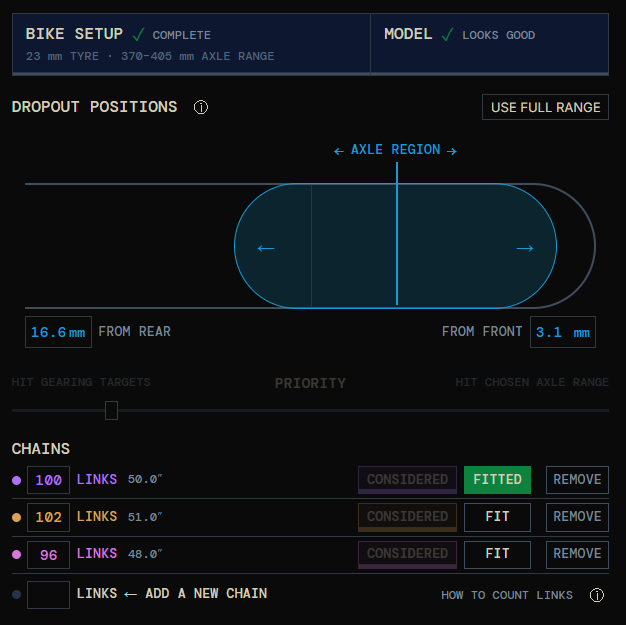
Don't let one chain length choose your gearing!
Another chain length can open up useful combinations that save you from swapping both ring and cog, and help you put the wheel where you want it.
Compare chain lengths and axle positions before cutting anything, and see how much freedom a couple of links can buy.
PLAN WHAT
COMES NEXT
"So you're going to suggest I buy your kit?"
Nope! It's deliberately unaware of SET/ACTUAL inventory.
The 'best next part' doesn't always make the best final kit.
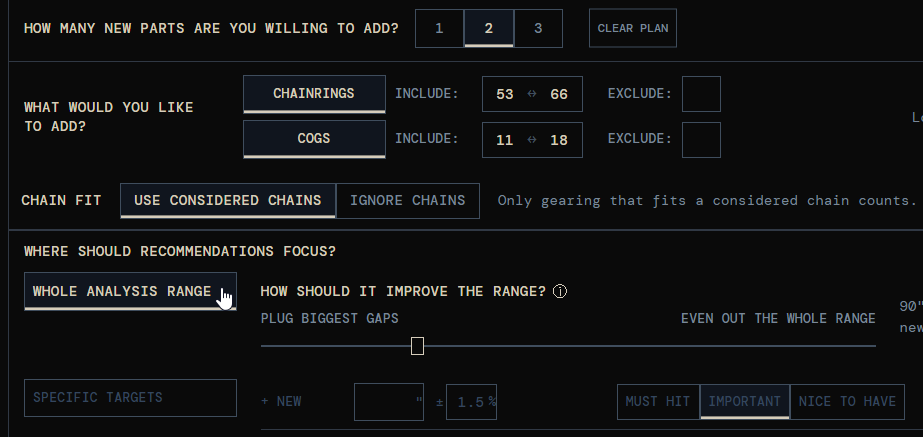
A purchase horizon of one finds the best single addition; horizons of two or three consider the parts together, not as a string of next-best buys.
Keep the kit simple, or open up more gearing options. Both have their merits. You decide.
TALK MORE.
FUEL MORE.
RIDE MORE.
TrackMATH / ANOTHER DIMENSION
FROM MATRIX TO MAP.
The same combinations, seen another way. Pull the table apart, then put your own kit into it.

Start with your owned gearing and the Analysis Range shown in the Gear Map.
TrackMATH compares purchases within your parts allowance to find where they improve that range.
Choose whether to close the biggest gaps, even out the spacing, or balance the two.
TrackMATH compares your gearing targets with the gears you already own.
It then finds which purchases bring the matches closer, working through your priorities within your parts allowance.
ADD YOUR GEAR-INCH TARGETS, THEN SET HOW MUCH EACH ONE MATTERS.
ⓘ
MUST HIT comes first, then IMPORTANT, then NICE TO HAVE. Targets at the same priority carry equal weight.
MUST HIT is a ranking priority, not a guarantee. If no allowed plan reaches every target in that group, TrackMATH finds its best compromise before considering lower priorities.
An improvement to a lower-priority group cannot compensate for making a higher-priority group worse.
Compare chain lengths for your owned gearing in the Analysis Range, using your bike's usable axle limits.
See which combinations fit and how well their axle positions suit you, with your existing chains or other lengths.
COMPARE CHAIN COUNTS
SEE WHAT EXTRA CHAIN LENGTHS ACTUALLY BUY YOU.CHAIN COUNT VS ALLOWED AXLE TRAVEL
EACH CELL SHOWS GEAR COVERAGE AND HOW MANY NEW CHAINS ARE NEEDED.ⓘ
Each column uses exactly that many chain lengths. Rows compare different amounts of usable axle travel.
Move right to manage more lengths, or down to allow more travel. Select a cell to inspect its gearing and chain assignments. This does not change your inventory.
CHAIN FIT MATRIX
CHAIN LENGTH + AXLE POSITION FOR EACH GEAR COMBINATIONHOVER OR FOCUS A GEAR FOR AXLE POSITION AND OTHER CHAIN LENGTHS THAT FIT.